
 Advanced Gift Wrapping Option In Magento 2
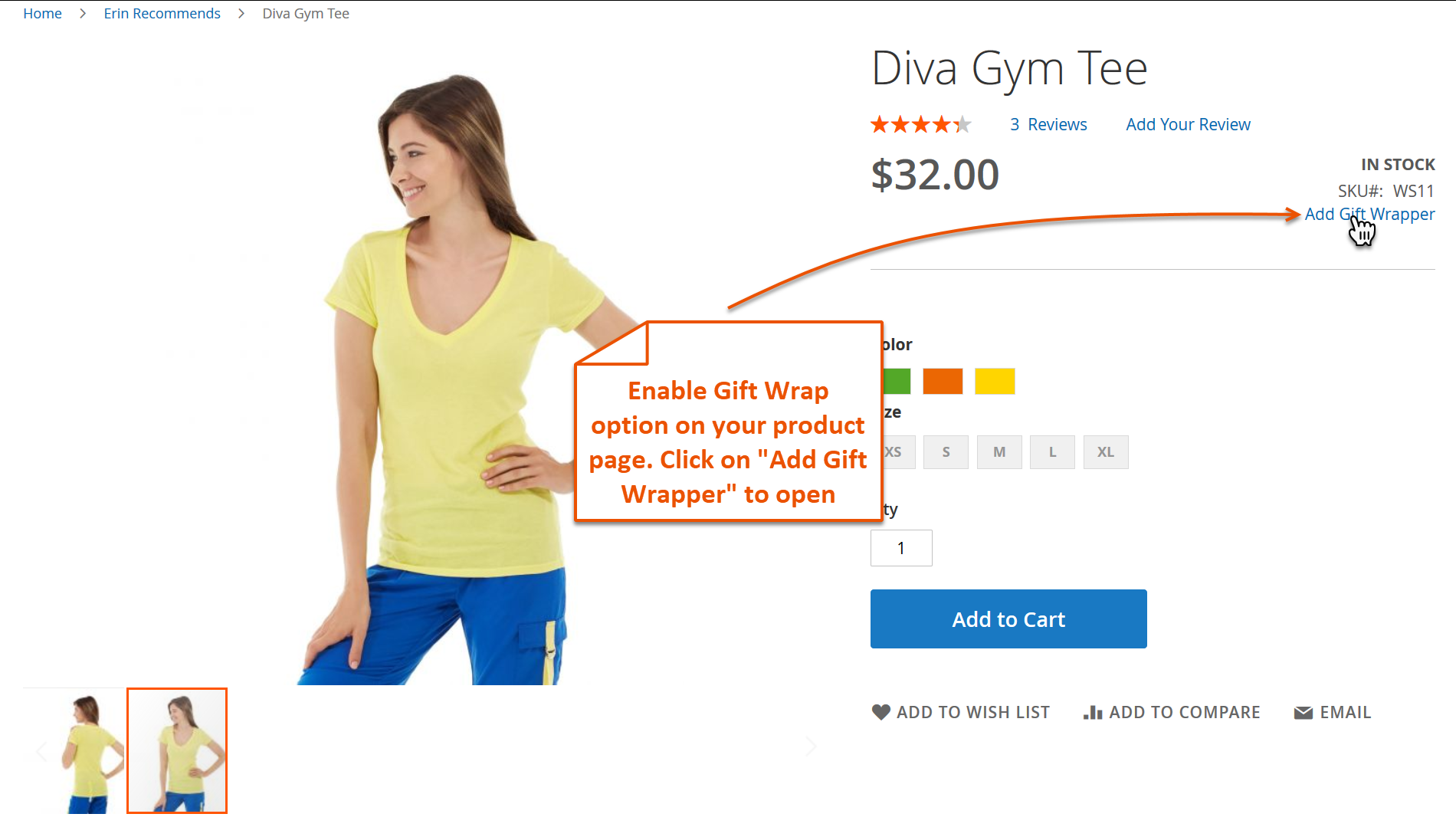
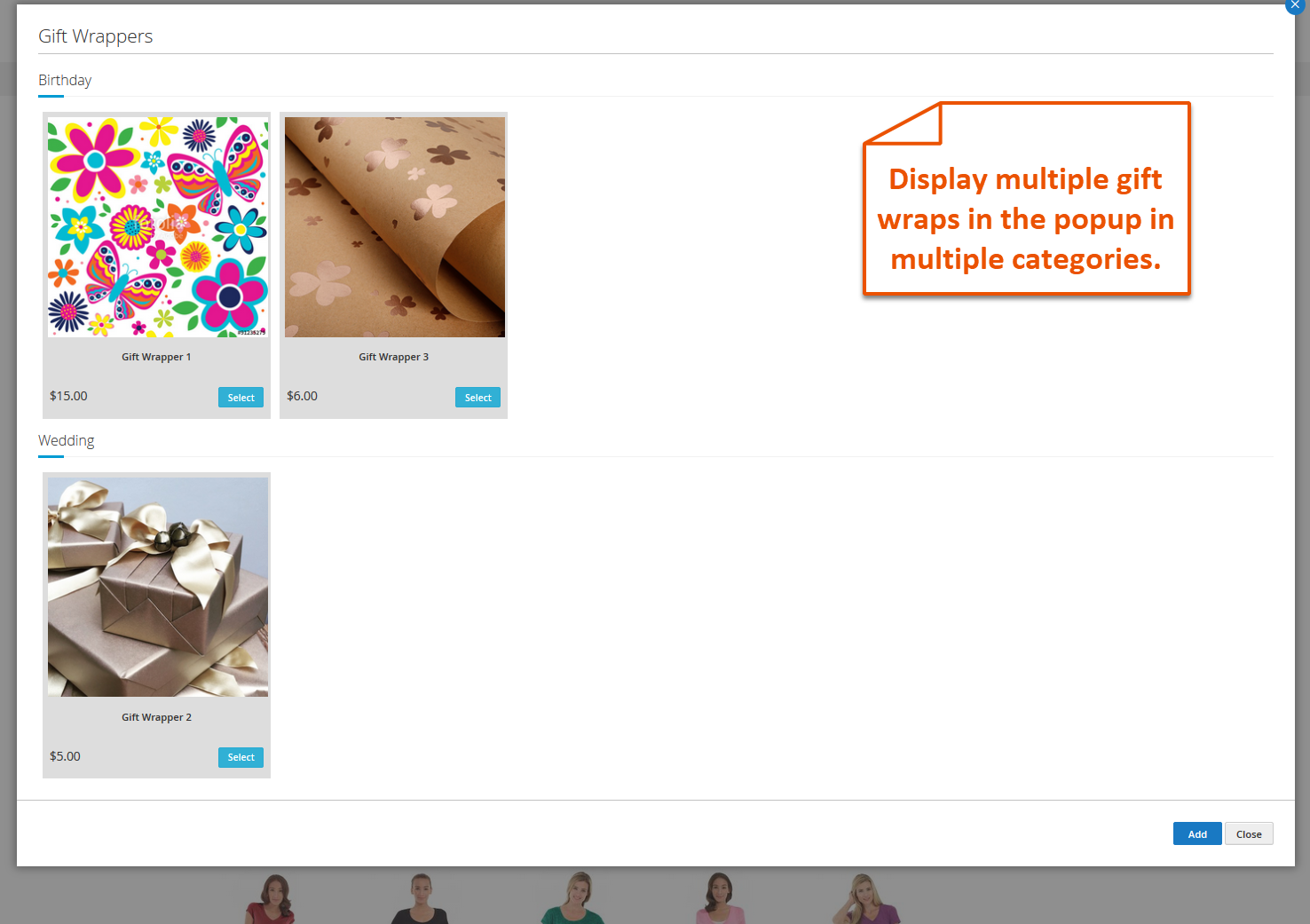
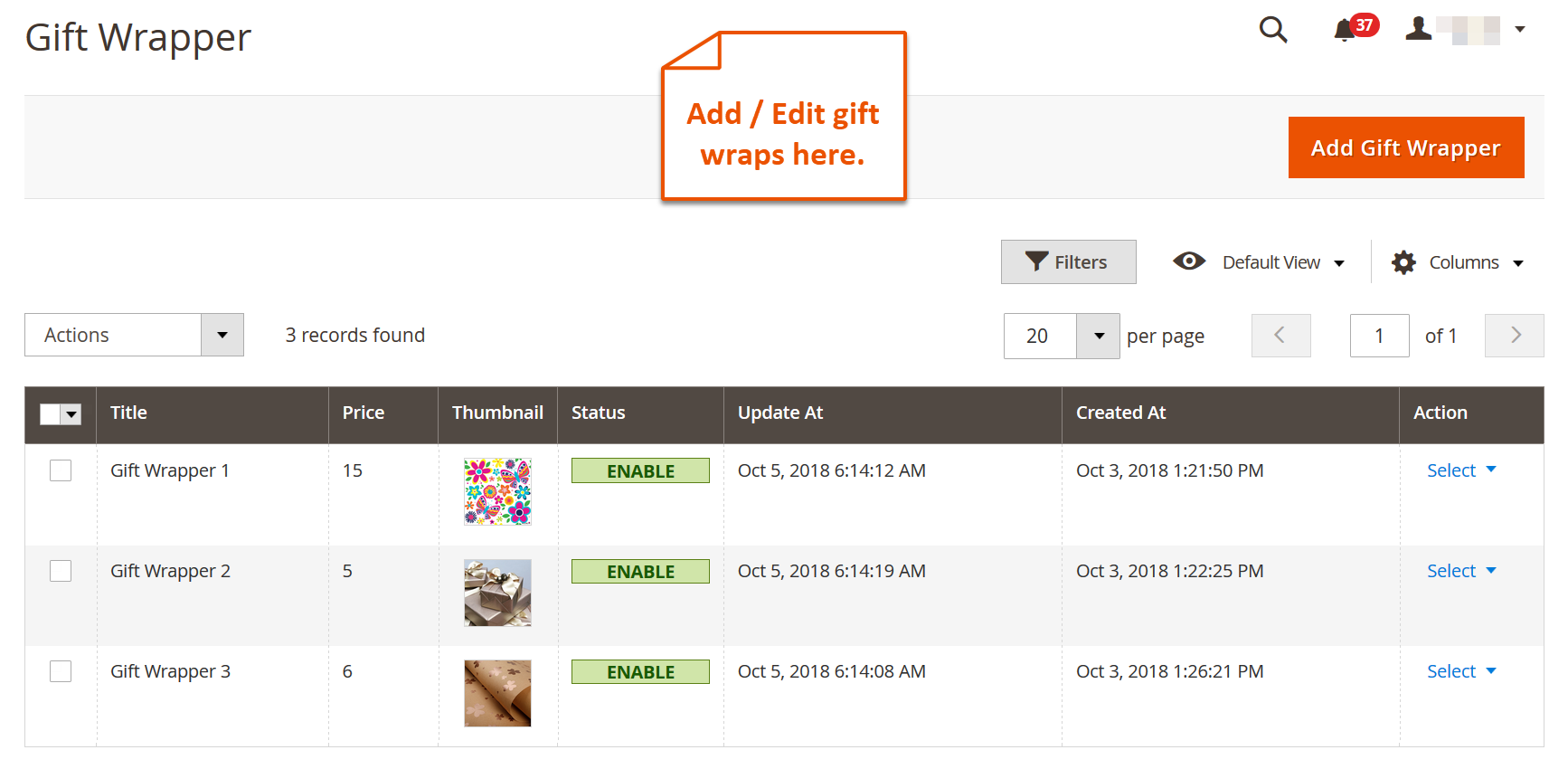
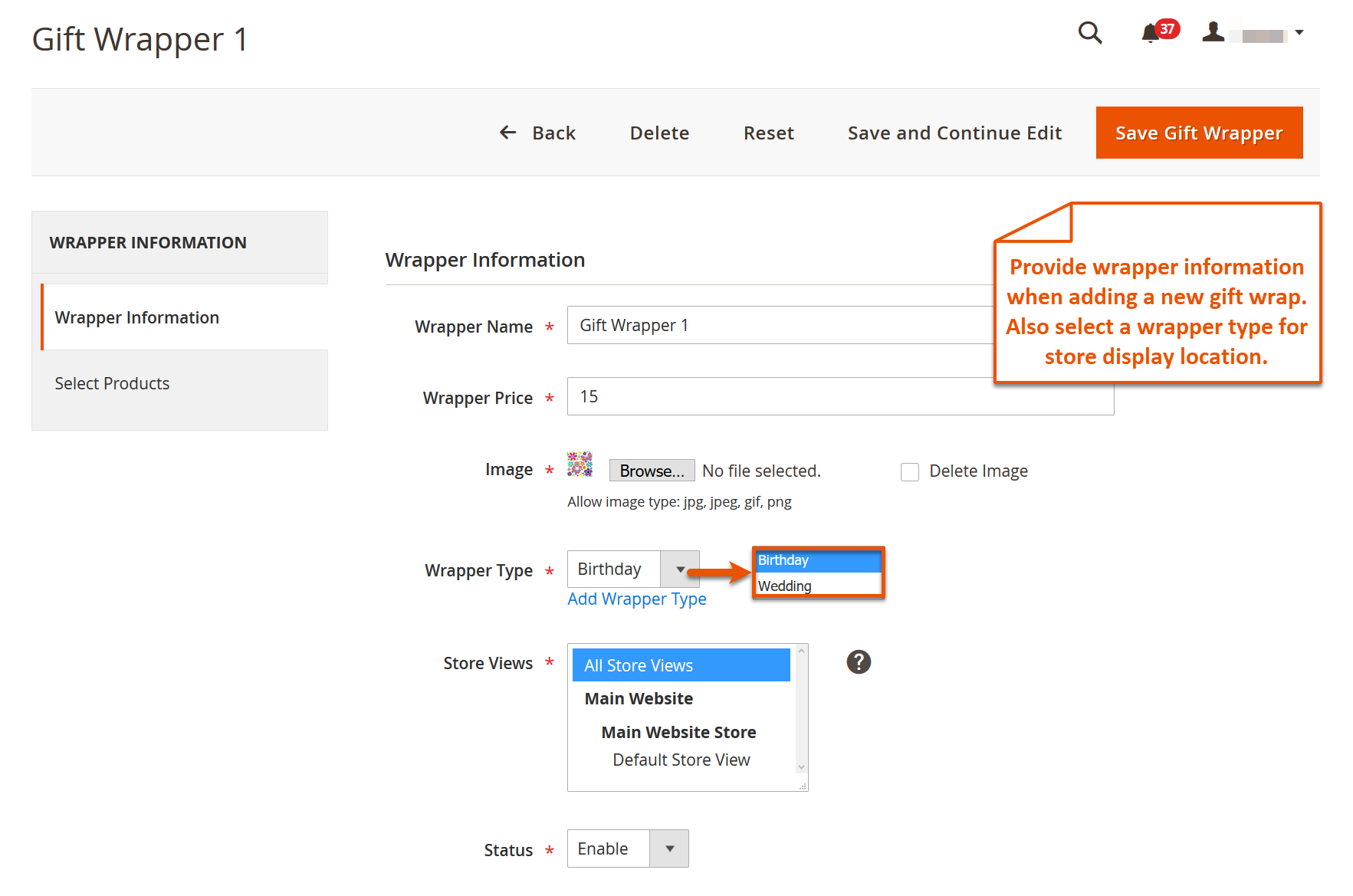
Magento 2 Gift Wrap extension lets you offer advanced gift wrapping on store products. You can add an unlimited number of wrap designs and classify them into a variety of gift wrap types. Assign products to each design and add a price to charge for the wrapping service using this advanced gift wrapping option. Define rules to restrict gift wrap option to selected store views. You are free to personalize the gift wrap field labels for better user understanding. The option displays on the cart and checkout pages as well. This extension offers free lifetime support and upgrades.
Key Features
- Add attractive and eye-appealing gift wraps to your store.
- Personalize gift wrap option
- Categorize gift wraps for a variety of occasions.
- Specify the availability status of each gift wrap.
- Earn revenue by adding price of gift wrap
- Customers can customize gift wraps by writing names and adding picture
More Details and Demo On - Advanced Gift Wrapping Option
Screenshots
Magento 2 Call for Price Extension By FME
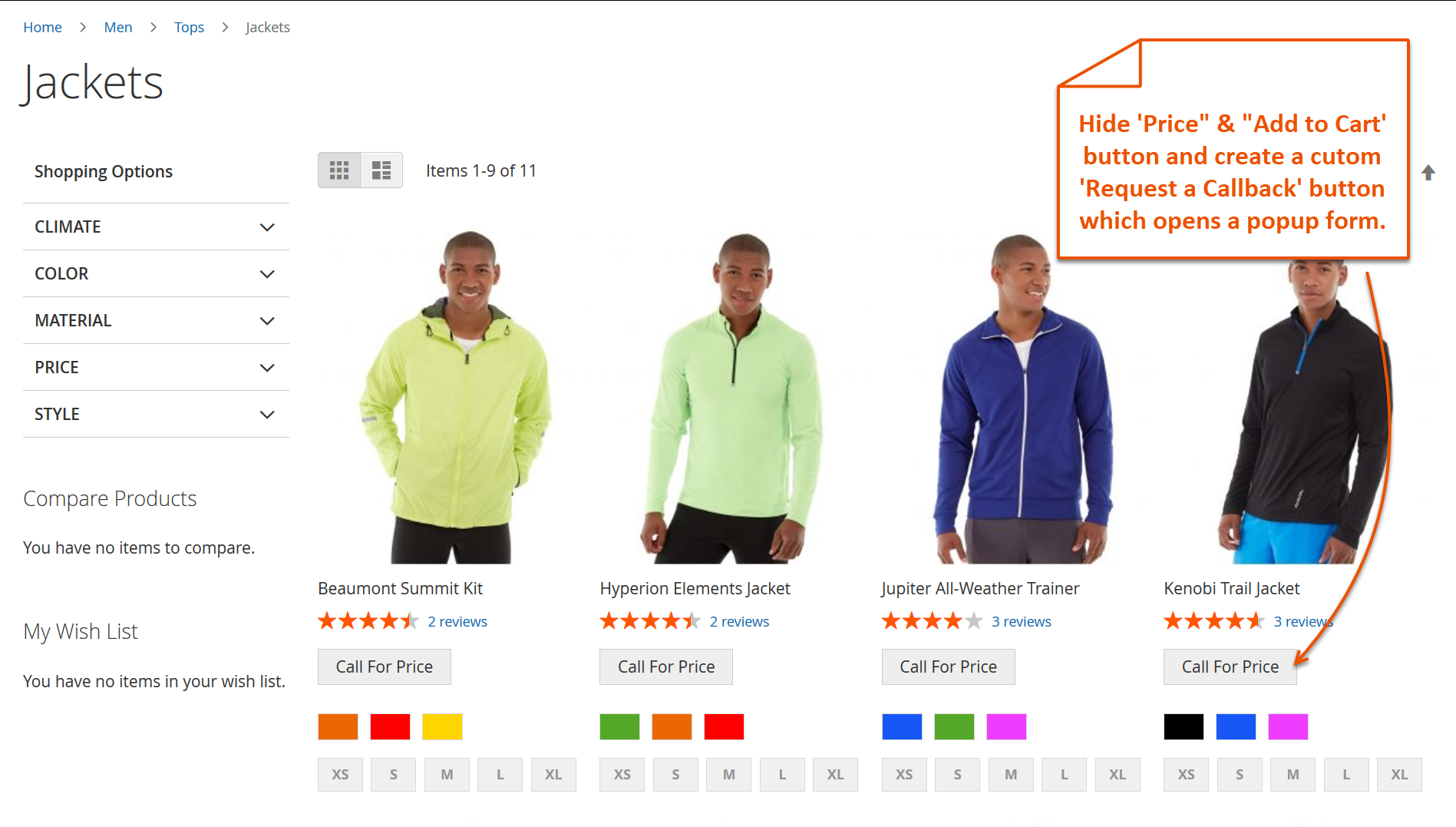
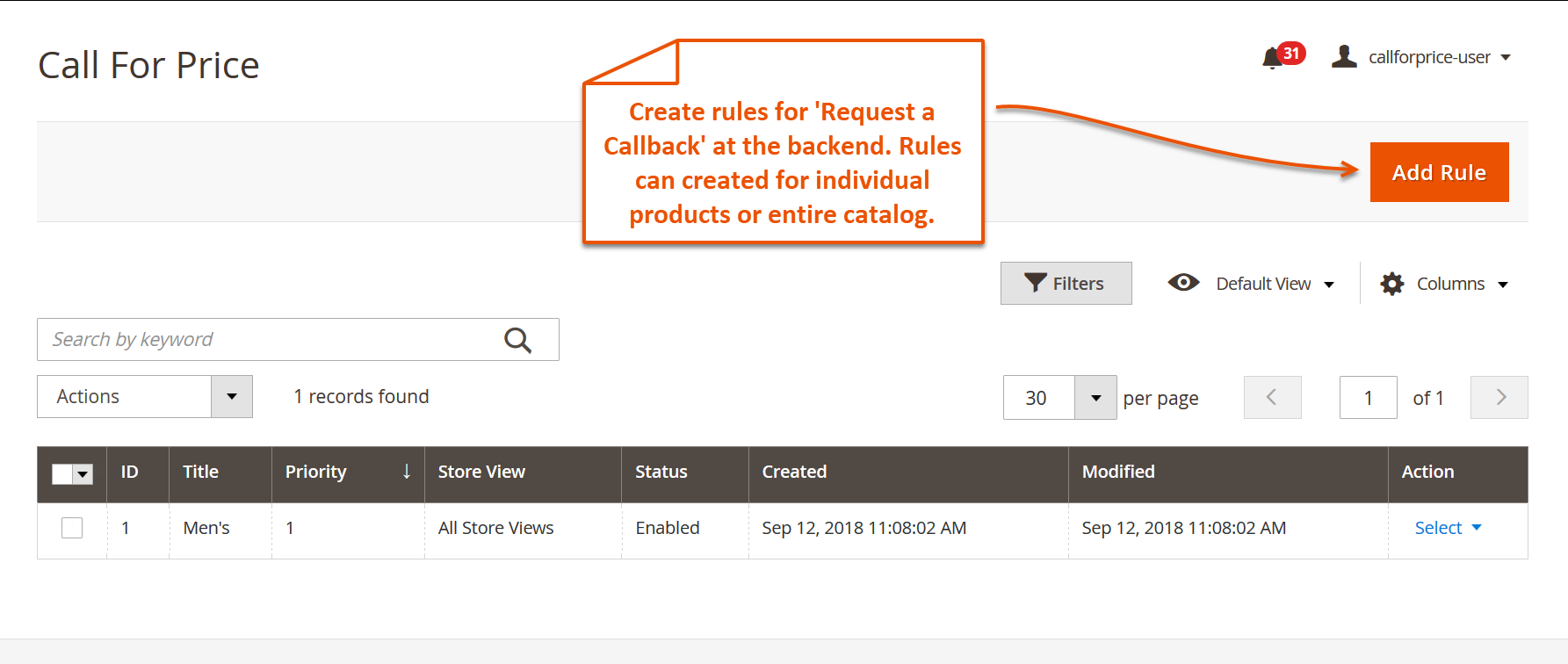
With Magento 2 Call for Price extension, you can keep the product prices out of the sight to increase user interaction. It sets you free to use an image, redirected URL or ‘Call for Price’ instead of mentioning price, just to build interest and curiosity. Also, you can hide the buttons like, ‘Add to Cart’, ‘Add to Wish List’, ‘Add to Compare’ and use the customized text in replacement. You can set up conditions with every rule you create to control the price display on store view or catalog. This magento 2 call for price extension enables you to utilize an Ajax-powered ‘Get a Quote' popup form to amass user data and offer them special pricing. Or, you can enter an alternative URL to redirect your potential buyers to a page that displays more captivating deals and discount offers. It empowers you to exclude some of your products and customers from price-hide rules.
Key Features
- Free lifetime support and upgrades
- You can restrict multiple store views to view the product price
- Add custom text as a replacement of price tag, add to cart, add to wish-list etc
- Gather valuable data about customers through ‘Get a quote’ form to offer enticing deals and discounts.
- You can allow specific customers and store views to avoid hide price rules
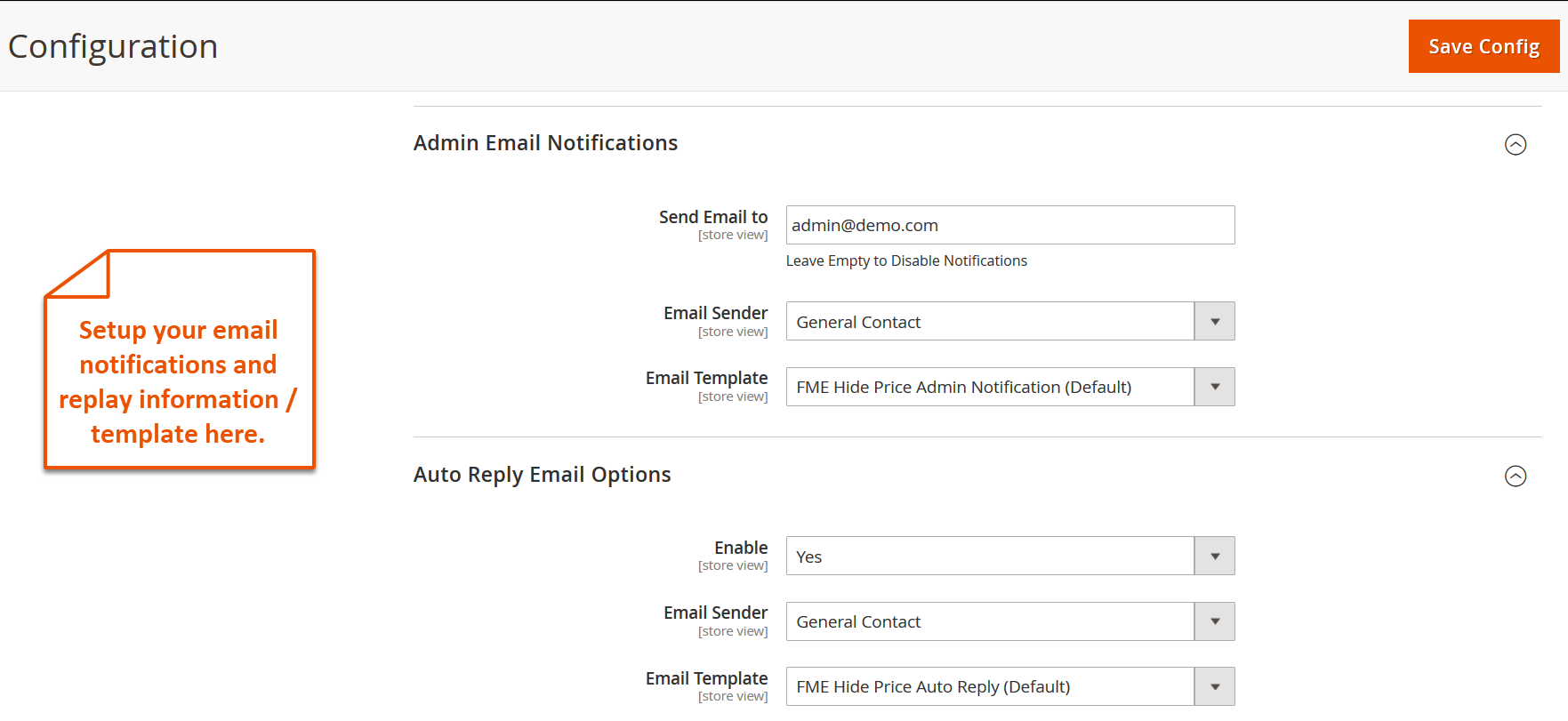
- You can setup google reCaptcha, auto reply email and admin email notification settings
More Details and Demo On - Magento 2 Call For Price
Screenshots

How to Update Order Attributes in Magento 2
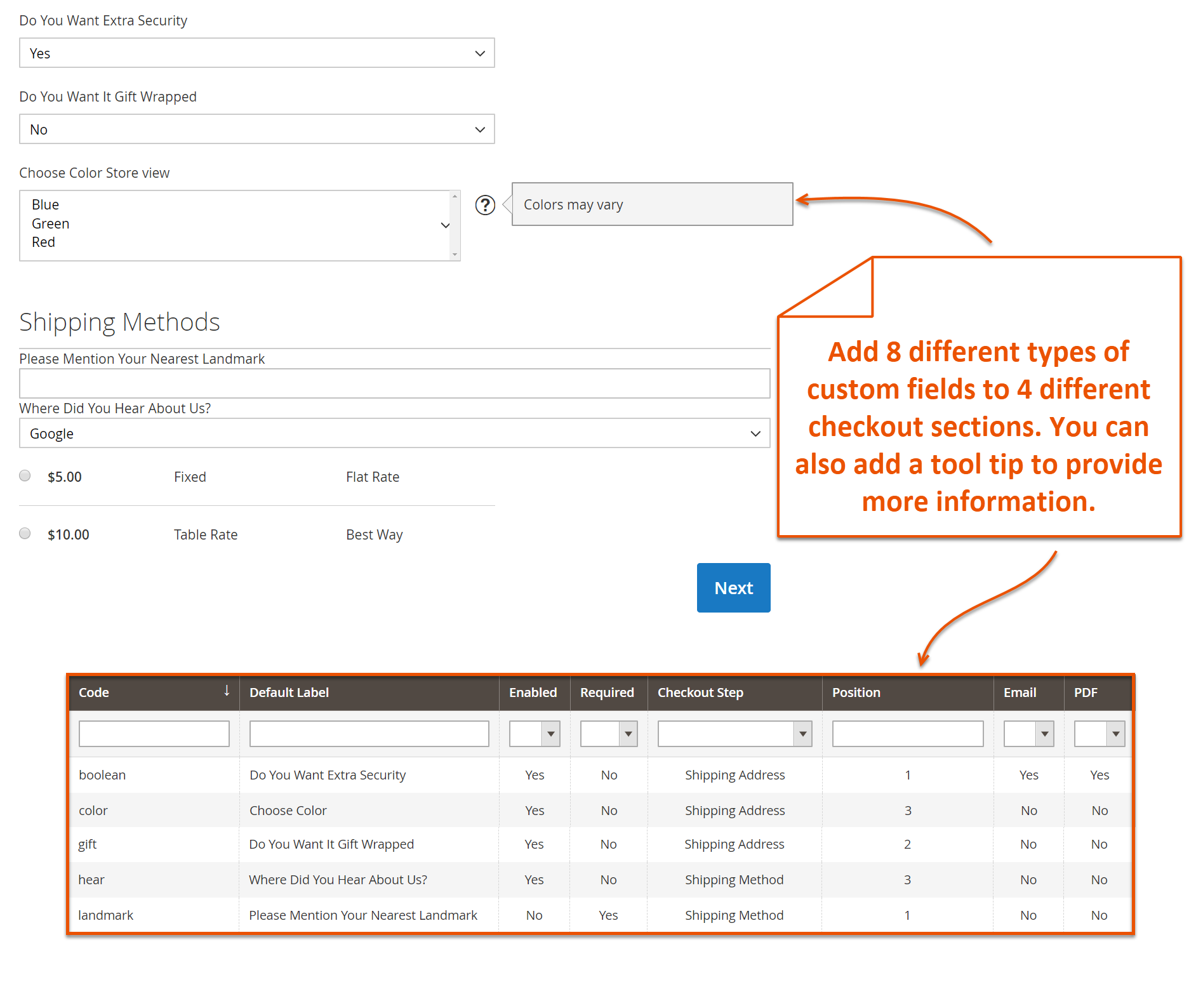
With Magento 2 order attributes extension, you can create and customize additional fields to intake more valuable information from your customers while they place an order. Magento Checkout Attributes extension offers 8 different field types to help you easily intake a specific form of information from your potential customers. Magento Checkout Attributes extension allows you to setup input validation for the fields you create to ensure the users enter the correct form of information. Customers can get to know about the options they have opted in email invoices and PDF documents. Select store views and custom groups to restrict the display of additional fields to specific users of your online store using Magento 2 order attributes. Provide tooltip information to elaborate on the purpose of a custom attribute when a user position mouse arrow on it.
Key Features
- You can add custom fields to checkout pages
- You can control the display of each checkout attribute as per your marketing and outreach policy
- Define validation on any specific input field to get the appropriate data
- Different field types include text fields, text area, date, Yes/No, checkbox, dropdown, radio button etc
- Free lifetime support and upgrades
Magento 2 update order attribute
Tutorial - Add Custom Fields To Checkout in Magento 2
Screenshots


Magento 2 Responsive E-Mail Template Extension By FME
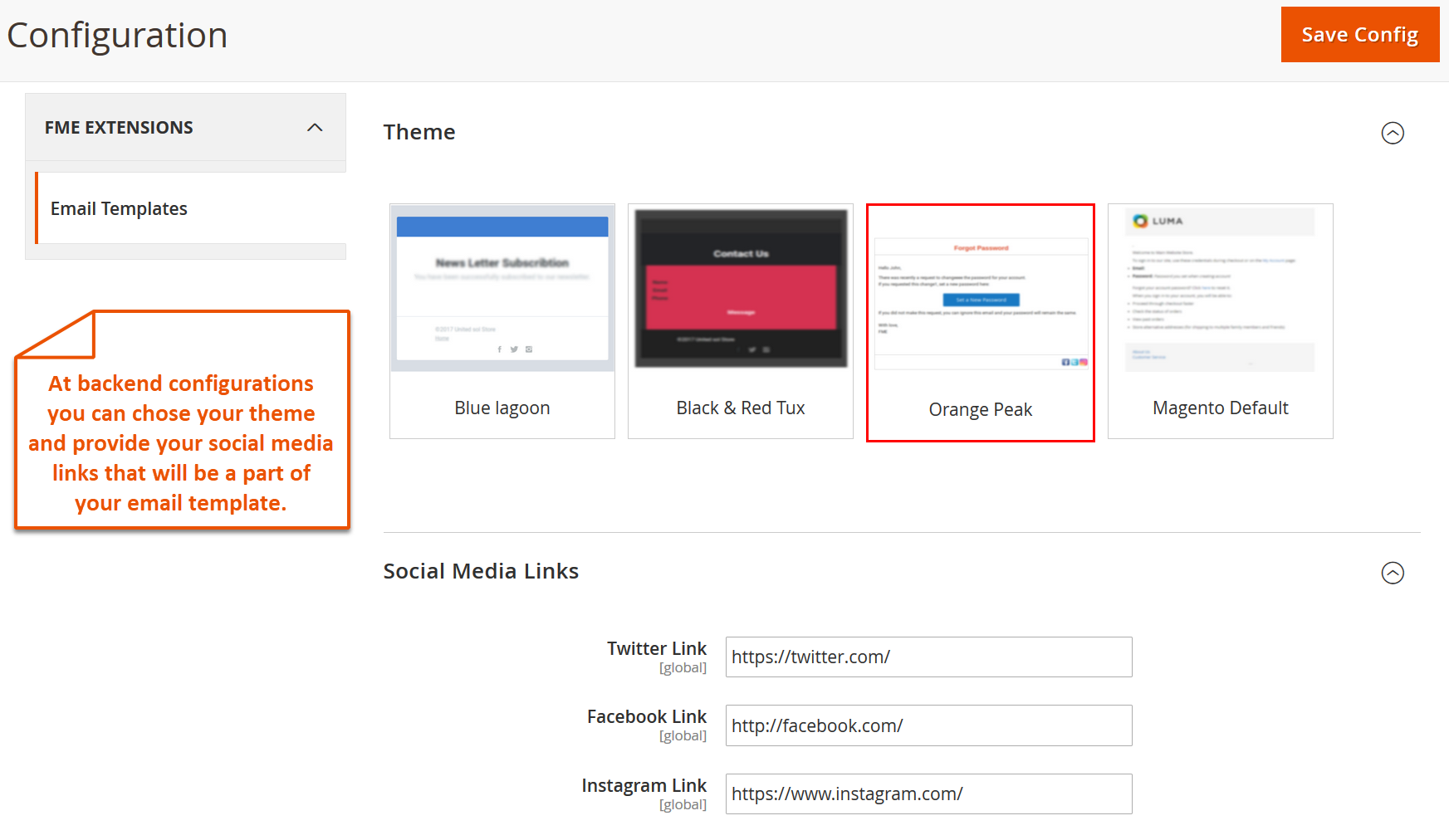
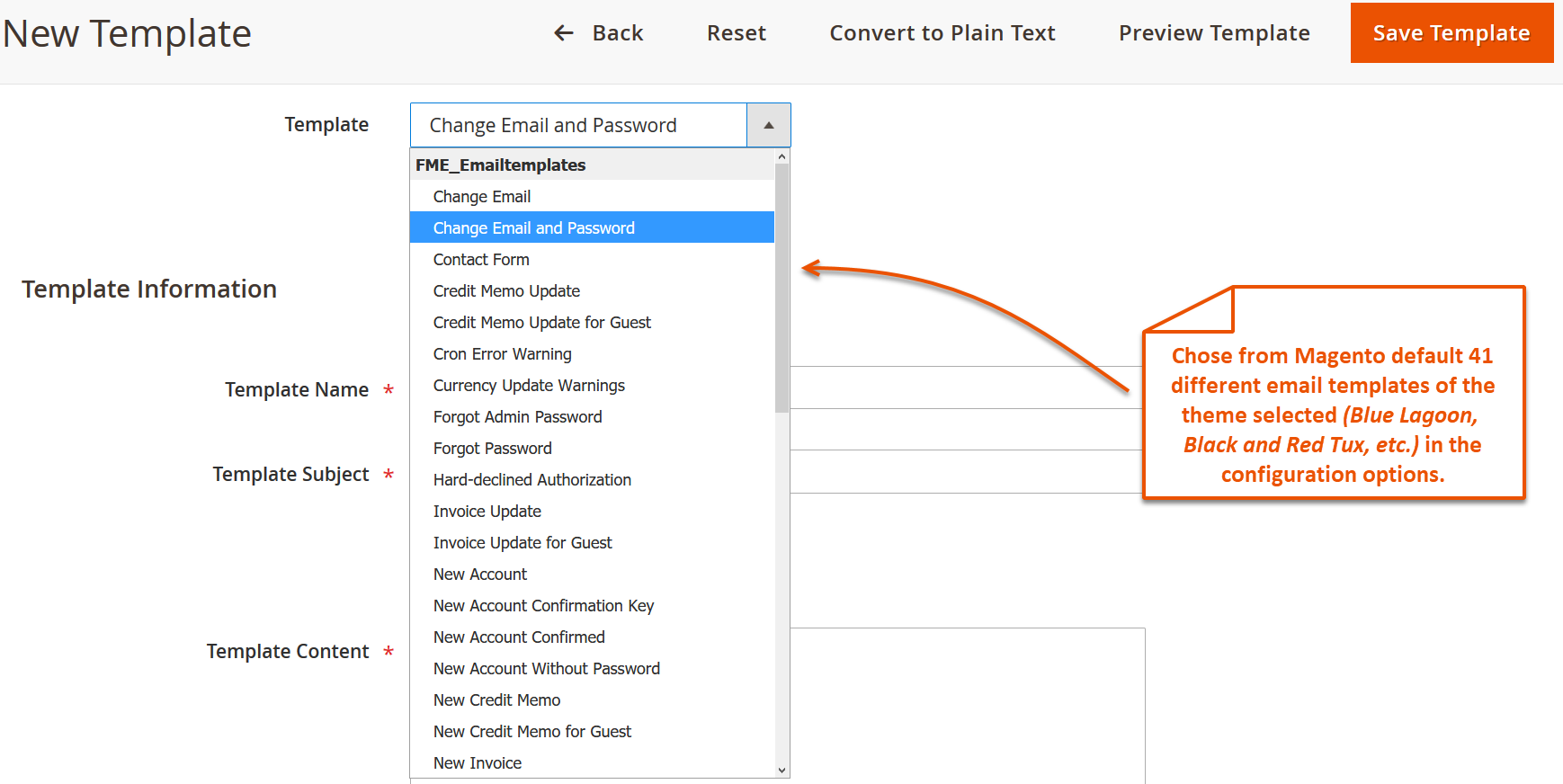
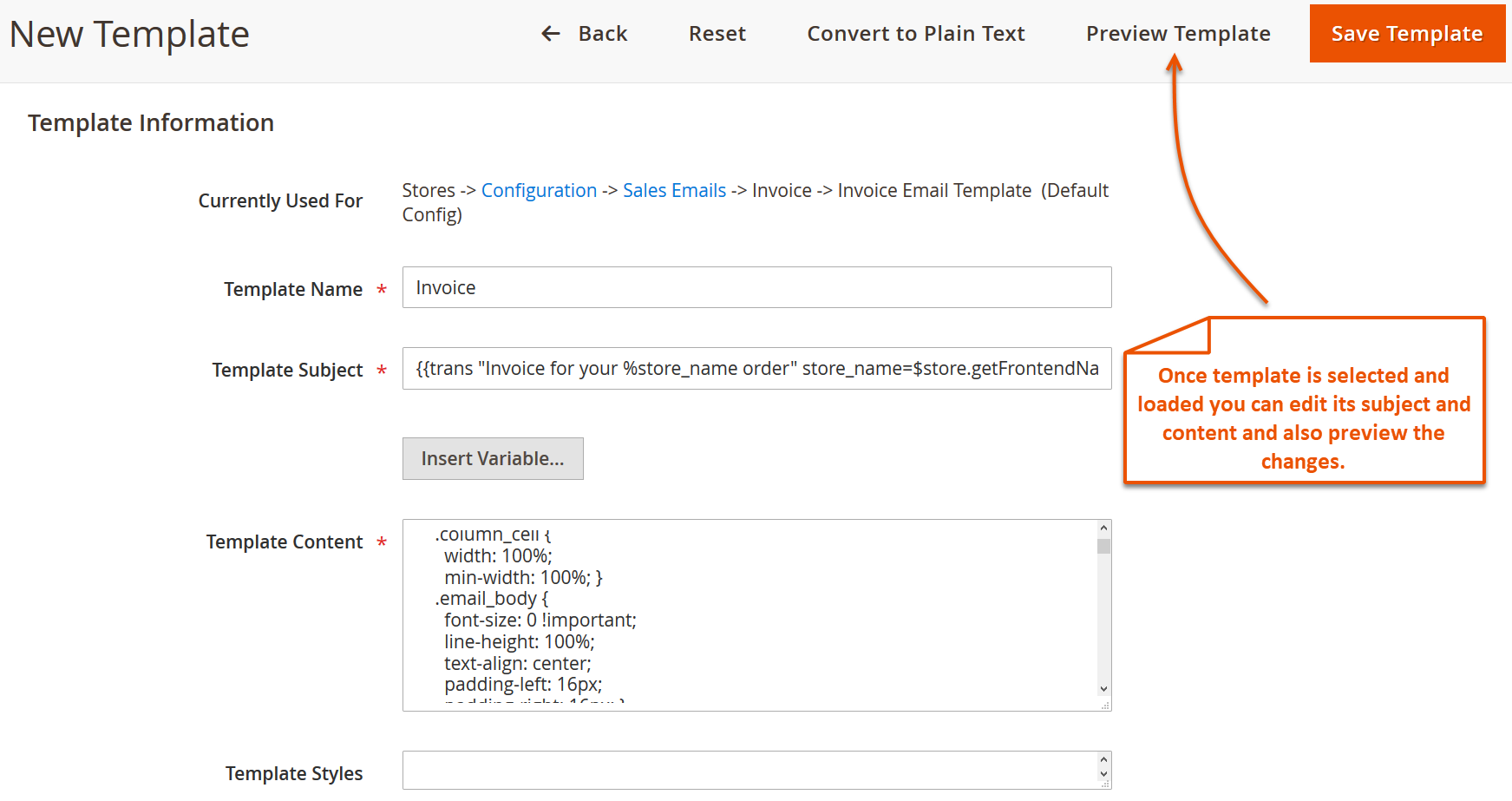
Magento 2 Email Templates extension helps you customize emails for better communication with the buyers and users of your eCommerce website using 3 different themes. You can choose between Blue Lagoon, Black and Red Tux, and Orange Peak as per your choice and design of website. You can also include social media links in the emails for bringing your business profiles to the limelight. Magento email templates provide mobile-responsive themes which further improve the readability of your email content.
Key Features
- Add your store logo and configure it using customization option
- Free lifetime support and lifetime upgrades
- Include Social Media Links in Email Messages
- The cool and eye-appeasing themes make it easier to differentiate between various email messages
- Mobile- responsiveness increases readability irrespective of the screen size
More Details and Demo - Magento email templates by FME
Screenshots
Magento 2 Size Chart Extension By FME
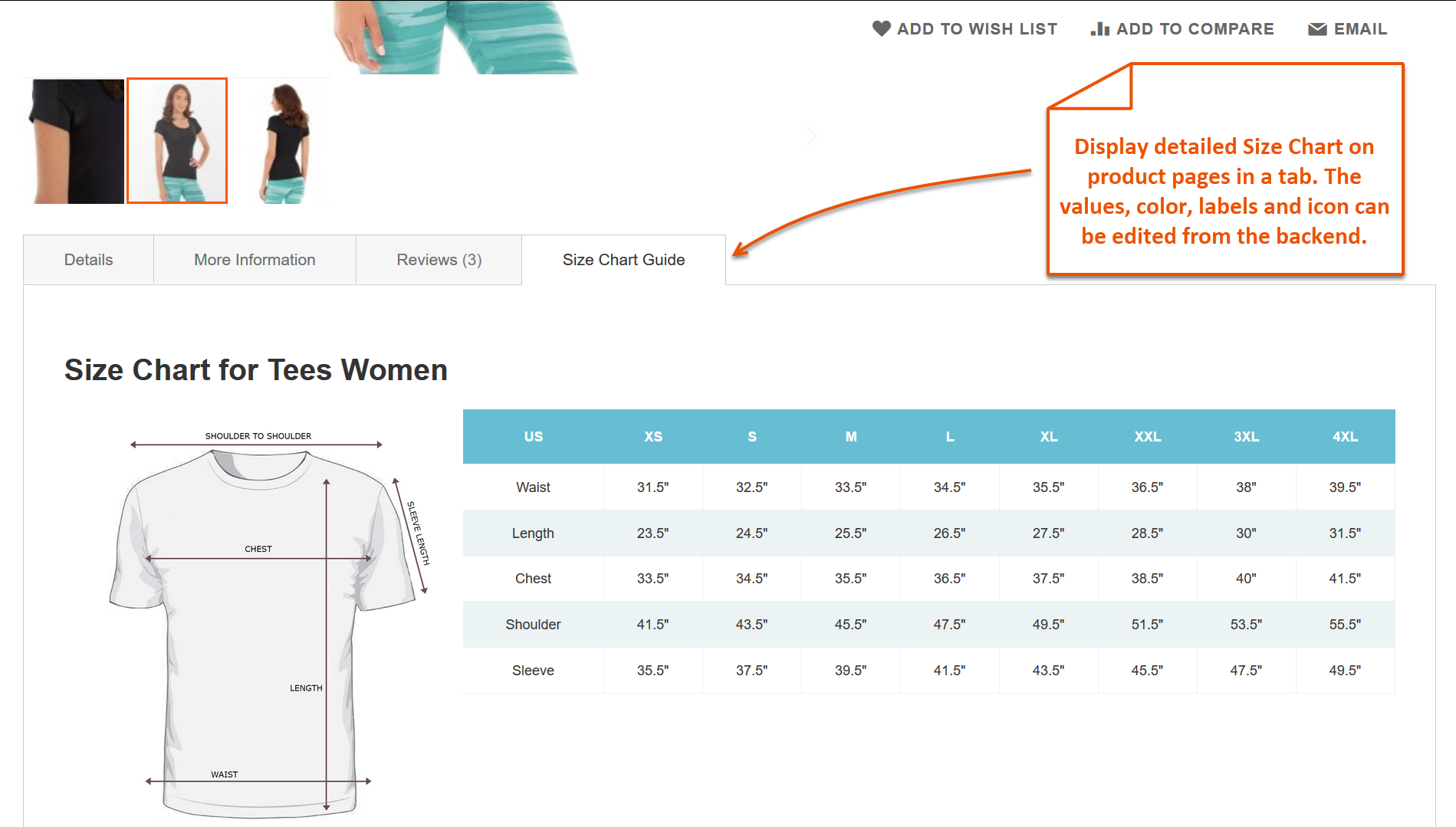
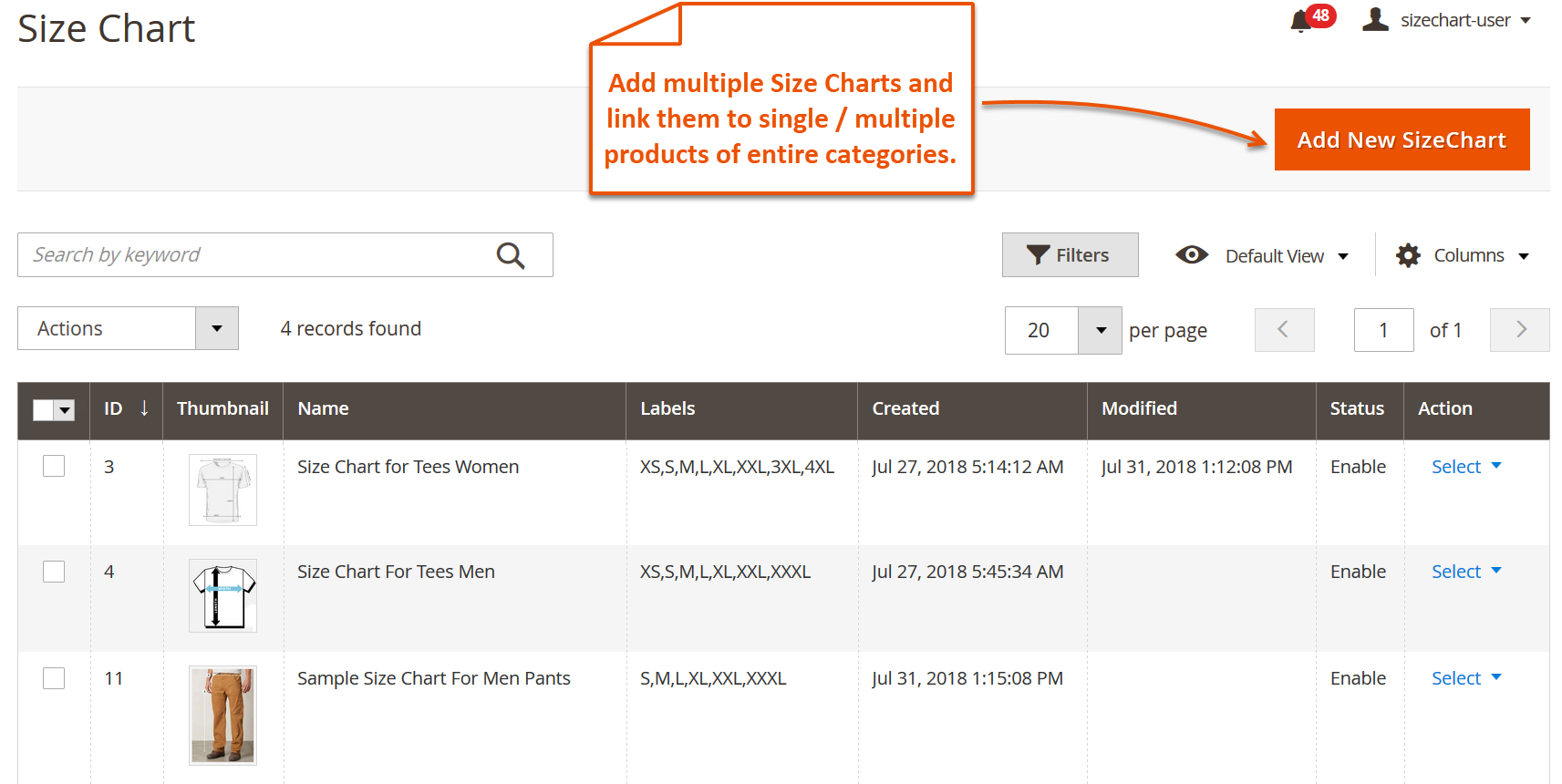
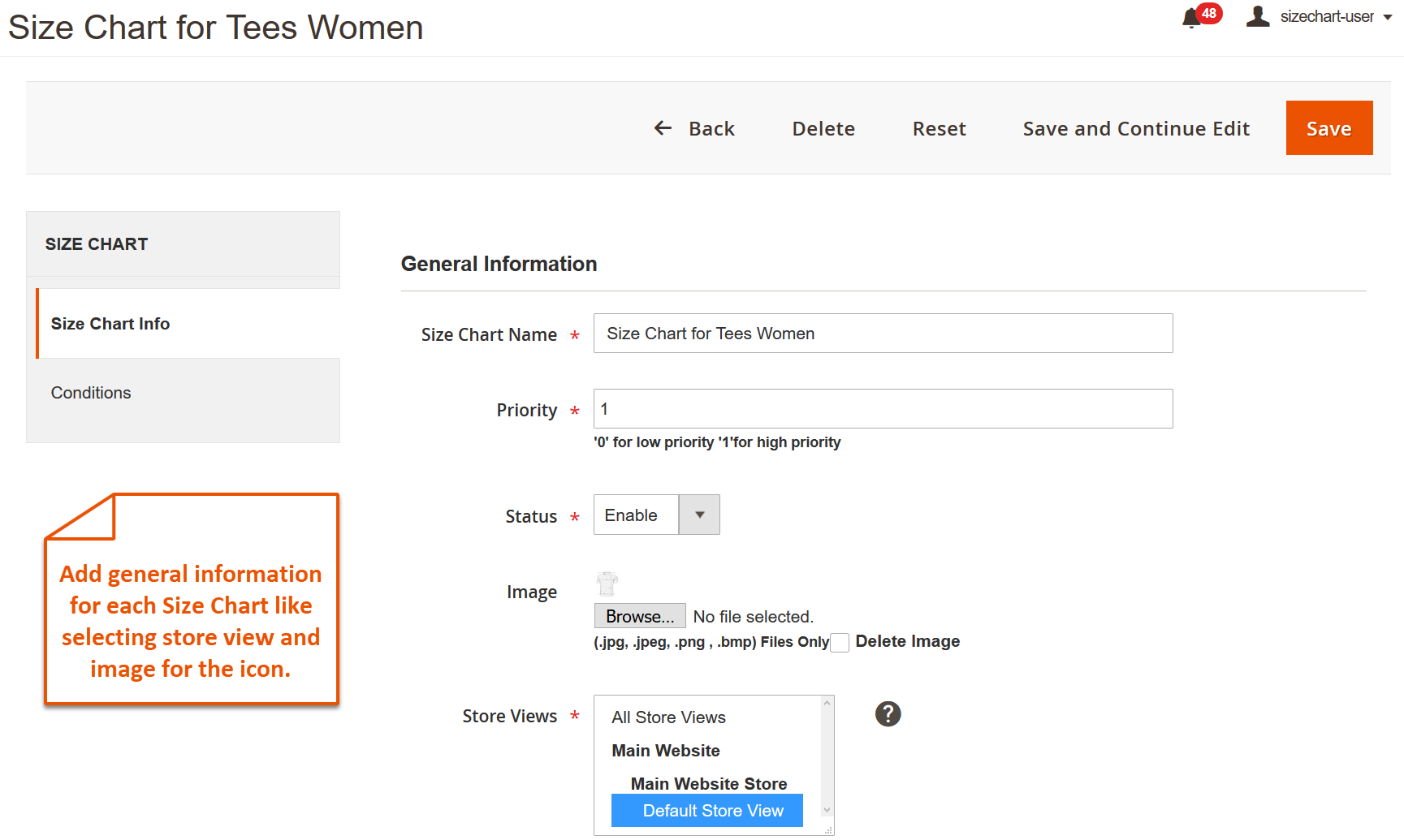
Magento 2 size chart extension empowers you to add and remove customizable product size chats. You can unlimited charts as per product’s size, so the user gets the best fit item. Moreover, you can either add size chart as a pop up or a tab, it’s up to your ease and choice. Using this Magento size chart extension you can add data by yourself or you can import it from any other channel in a CSV file. Magento 2 size charts are helpful as they result in reduction of product returns by elaborating proper sizes. Increase sales and conversions by removing the misunderstanding about the sizing that is among the core hurdles of purchases.
Key Features
- Add and remove multiple customizable size charts
- Upload image or data to the chart or simply import it in CSV file
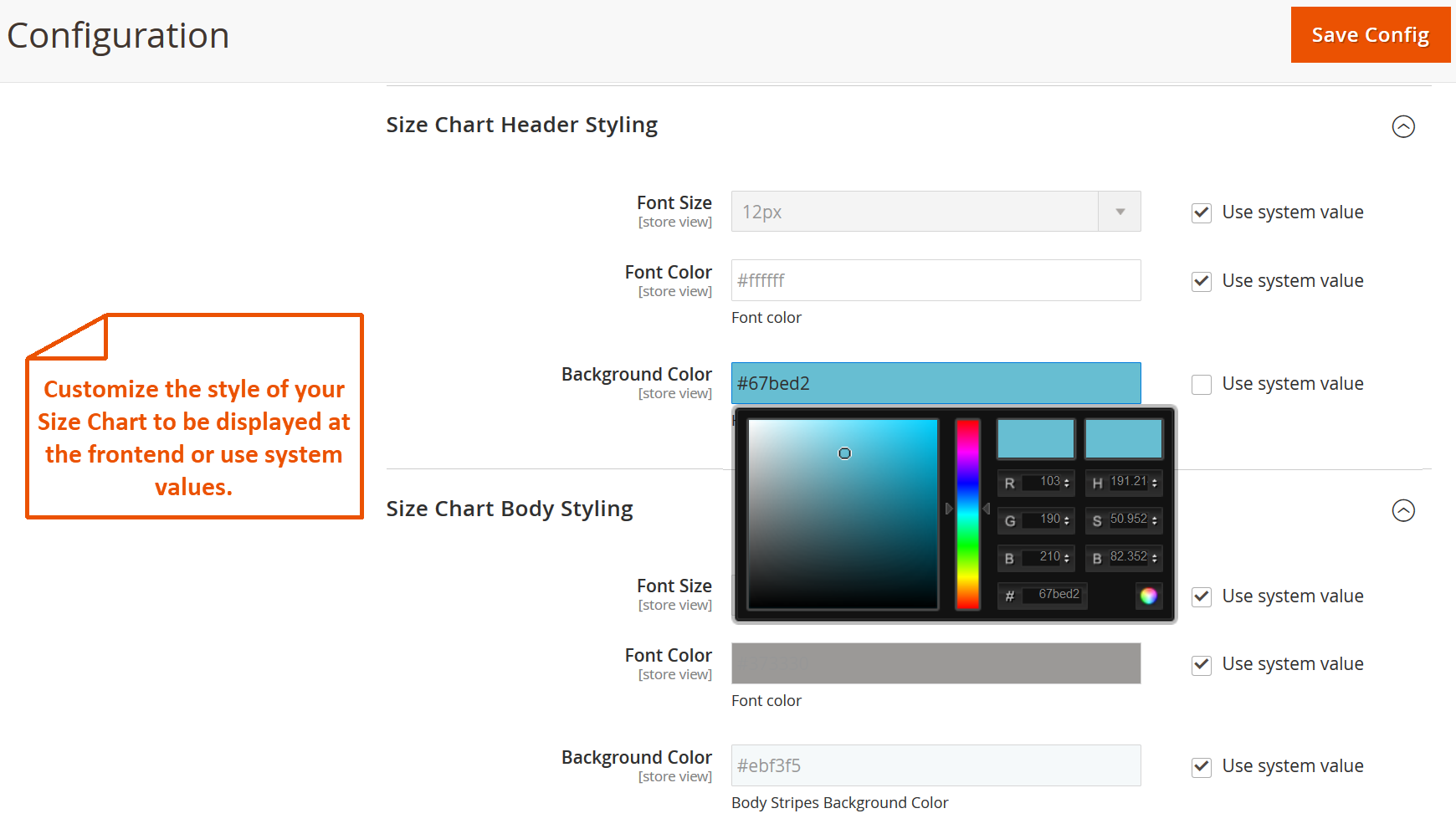
- You can personalize font size, font color, and background color of the size chart
- Add chart as a pop up or a tab, as per your choice
- Define conditions for enabling and disabling of size chart for any specific product
More Details and Demo - Magento 2 Size Chart By FME
Screenshots
Magento 2 Canonical URL Extension By FME
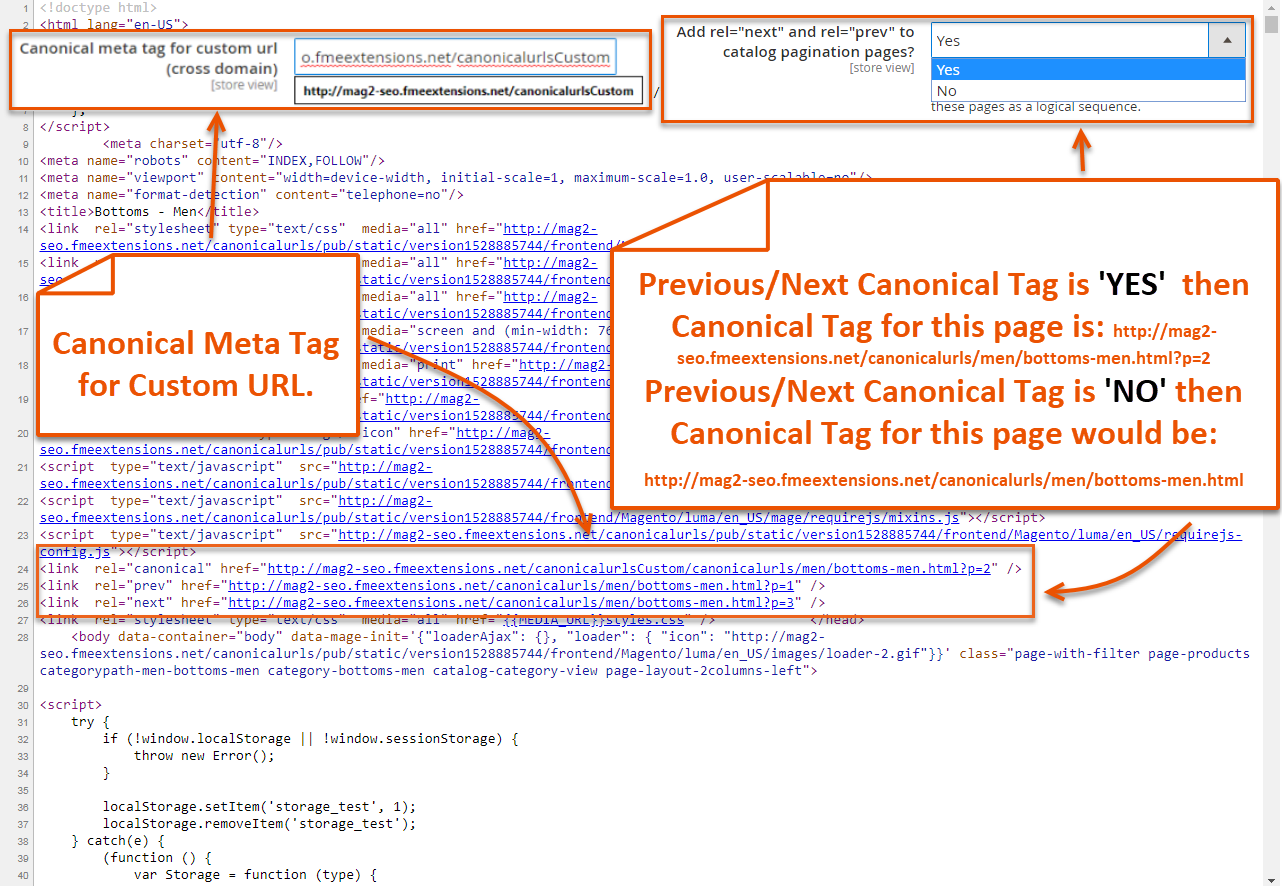
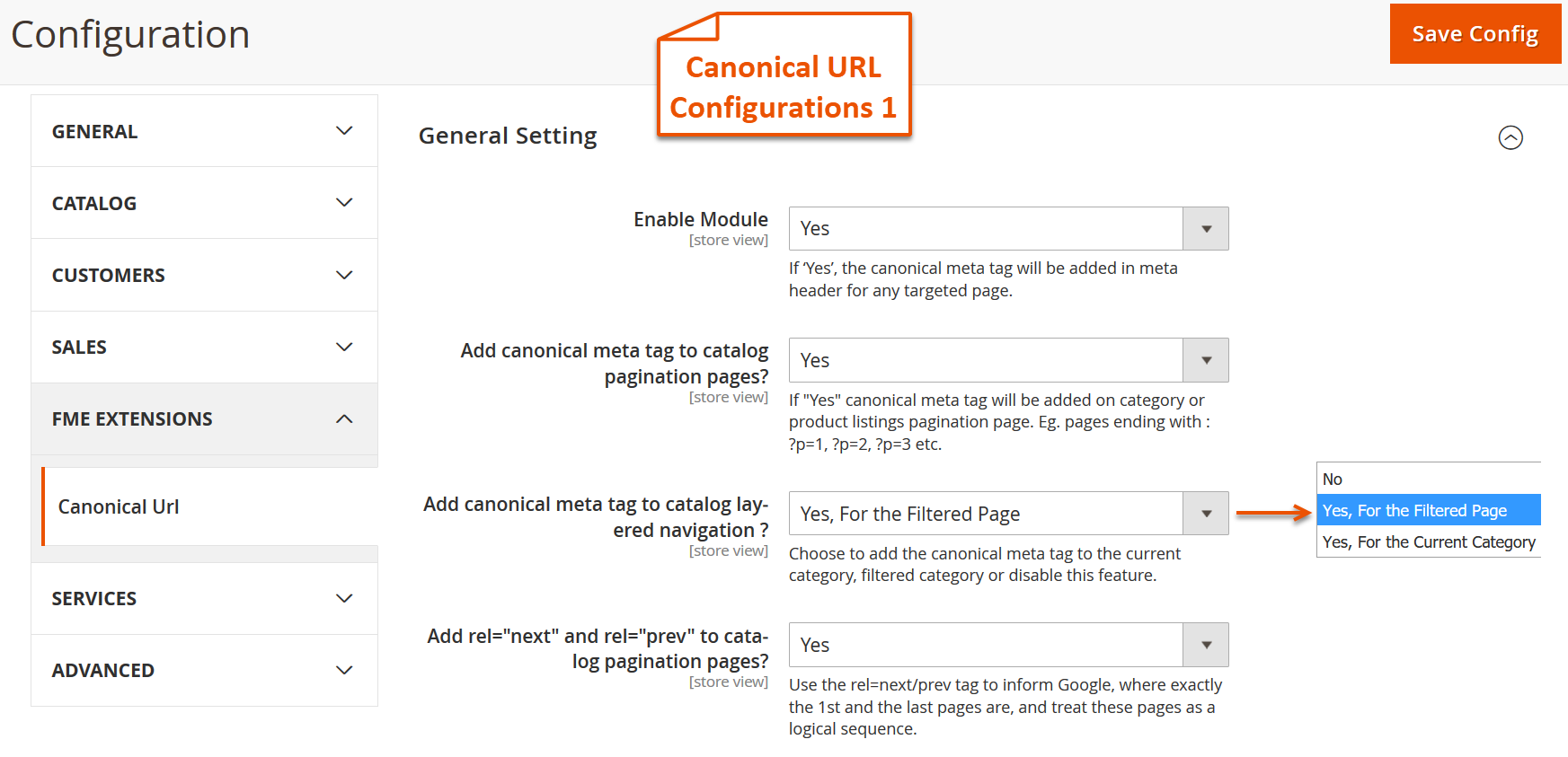
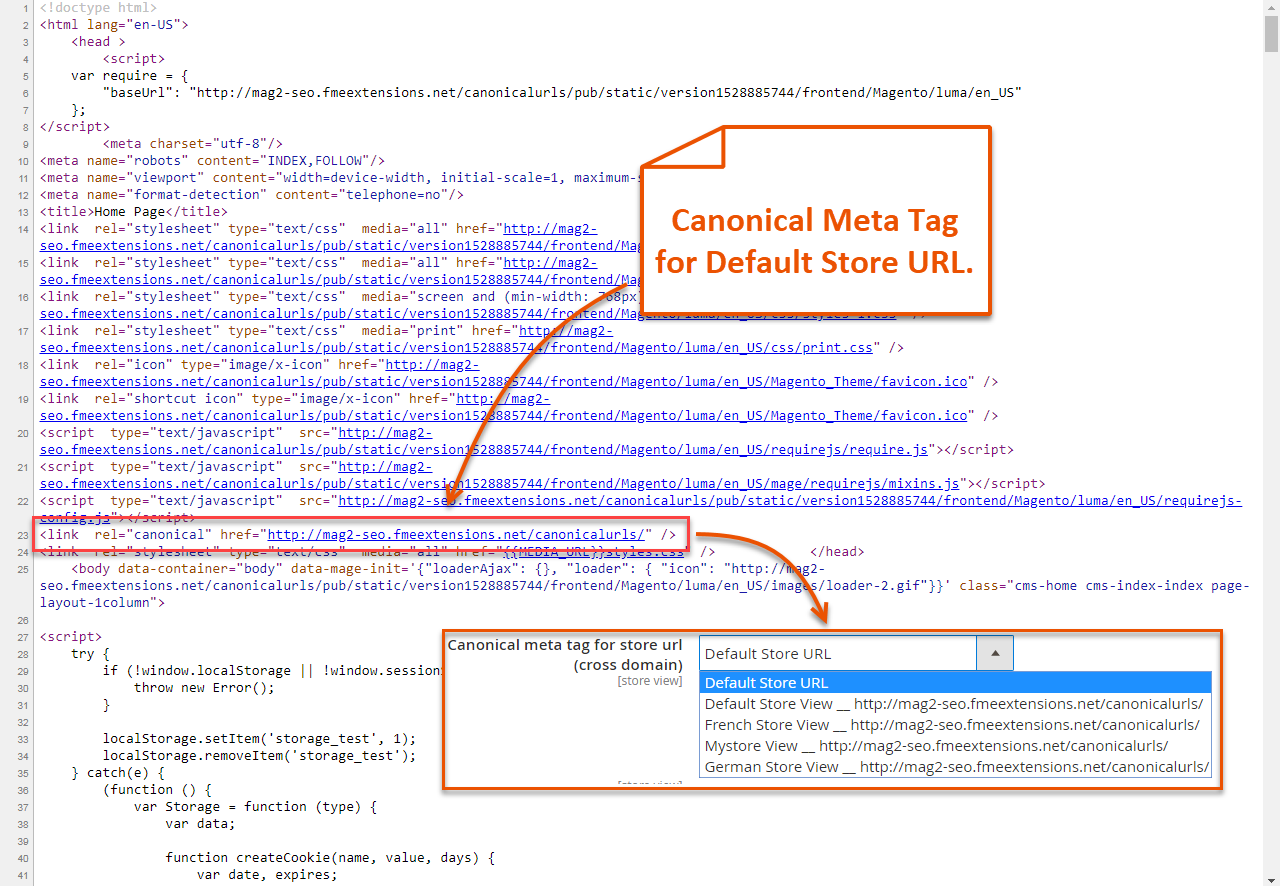
You can remove content duplication issue from your eCommerce website using this Magento 2 canonical URLs extension. It is used to beautify the URL of website and make it human understandable with the addition of canonical meta tags. Mainly it’s helpful in removing content redundancy issue from website. You can exclude certain pages to overrule canonicals using this Magento canonical tag extension. Below are the features and link of the product.
Key Features
- Add Canonical tags to a custom or Store URL, to pagination, layered navigation pages
- Exclude Canonical Meta tag on certain pages
- Add rel = “next” and rel = “prev” attributes to show the relation between category and catalog pages
- Add trailing slash for canonical Meta tag to make all the URLs SEO-friendly
More Details and Demo - Magento 2 Canonical URL Extension by FME
Screenshots

FME's Jobs & Recruitment Extension for Magento 2
Magento 2 jobs & recruitment extension by FME adds a careers section to Magento 2 store. It allows you to post your vacant positions and manage CV's. It provides a comprehensive human resource management where you can advertise open jobs with all the relevant details like job title, description, location, required qualification & experience etc.
Key Features of Magento 2 Jobs Extension
Magento 2 recruitment extension by FME offers the following key features
- Adds a careers section
- Adds meta data with open jobs
- Create multiple departments & job criteria
- View, Edit, delete & download applications
- Add remarks to an application
- shortlist CV's
- Enable header & footer link
- Enable social share buttons
- Enable filters
- Specify email sender & template
For more features & demos, visit Magento 2 Jobs Extension by FME

How to enable advanced layered navigation in Magento 2
What is Layered Navigation?
Layered navigation searches products based on categories, colors, style, material, prices and other available attributes. The navigation menu is available in the left column of category pages and search results pages. Customers can check necessary values within the attribute narrowing the suggestions by certain criteria. Each attribute can be configured to display the number of matching products found.
The default layered navigation is based on product attributes and categories as filters. Users can open attributes one by one and select a value per each attribute. The plugin extends this functionality. Customers can get access to specific products easily by choosing multiple values at once, for example the Nike summer running shoes of different colors for men within certain price intervals.
Read more about how to enable the layered navigation in Magento 2 in our blog.
How to create dependent custom options in Magento 2
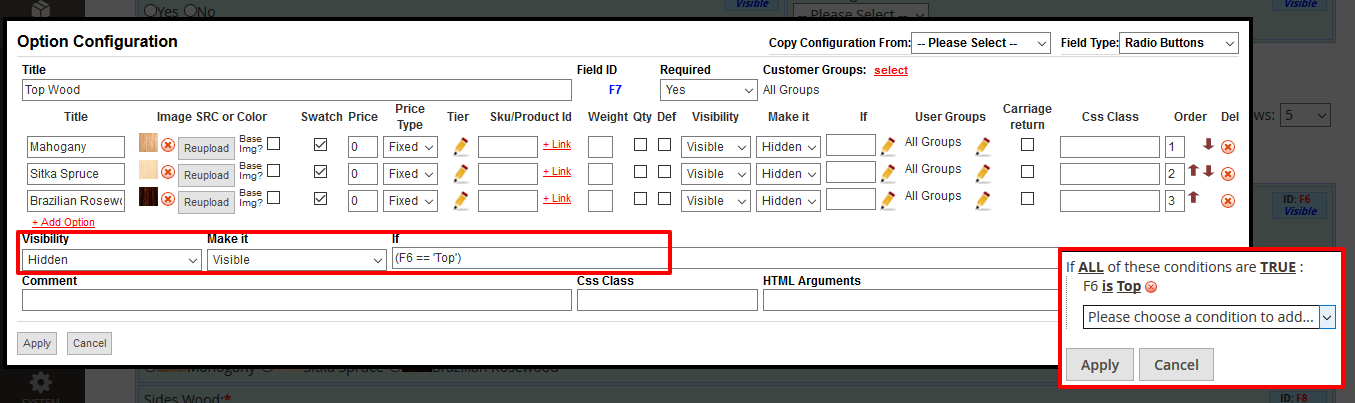
If you are the owner of a store, you might get into situation when you need to create dependent custom options, for instance, to apply custom design to products. By default Magento 2 won't allow that. The Dynamic Product Options extension includes dependent custom options, when one option or multiple options depend at the same time. Such options will help to make products visible or hidden if a specific choice is selected. Thus the options make the frontend's look more professional and easy to use.
If you want to make one option invisible unless the previous one is not selected or vice versa – dependent custom options will do the work for you.
Features of Dynamic Product Options:
- Configure and translate options for different store views separately
- Conditional branching. Make field or a group of fields dependent
- Ability to associate options to other products. If selected the associated product's inventory will be deducted after checkout
- Image and Color Swatches with ability to reload the Base Image
- Various validation rules
- Relative and absolute pricing, relative and absolute SKU, relative and absolute shipping weight
- Quantity for options
- Shipping weight for options
- Tier prices for options
- Developer tools: set CSS classes to fields, edit styles inline, CSS and JavaScript editors integrated
- Ability to Export/Import/Backup dynamic options via a file
- Ability to make fields visible for specific customer groups only
- Options templates. Associate templates to multiple products in bulk using Mass-Actions
- Ability to clone options
- Various fields
- Ability to upload images for radio buttons and check boxes
Magento Help Desk Extension by FME
Magento help desk & support extension by FME is a complete customer support management system which makes the customer support process quick and secure. It enables customers to interact with the support team and notify them about an issue or complaint. They can generate a ticket by filling a simple form with a custom title and description about the issue. They can also upload image or files to accurately present their issue and submit it to the concerned department.
Magento support extension helps admins/store owners improve their customer support efficiency by quickly replying to customer's requests. They can reply with pre-made replies to speed up the process. They can also give priorities to each request based on their urgency. Magento help desk extension allows them to add more departments or delete new ones so that each ticket is directed to the right handler.
Features of Magento Help Desk Extension
- Customers can generate tickets to get quick support
- Assign tickets to desired departments
- Customize title & description
- Prioritize tickets
- Configure email templates
- Evaluate department wise performance
Customer support service by UserEcho
